Just on iPhone and iPad mini the navbar has some new features (left, right, centre button outlines put behind my text) which I do not want - tried a few ideas but unable to find the cause - help in disabling this will be appreciated
To help explain my issue I attach after and before images of an impacted page - the V9 look is not so good?
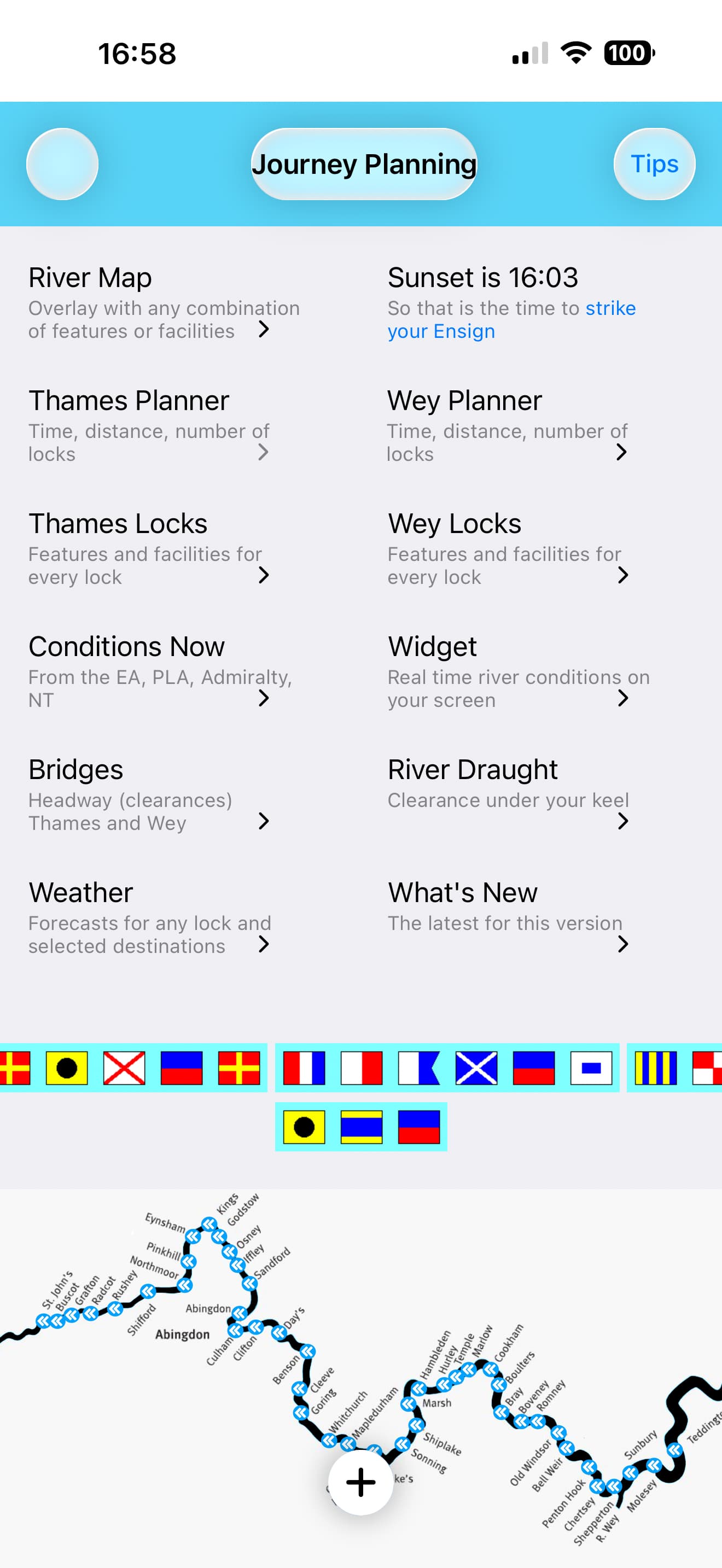
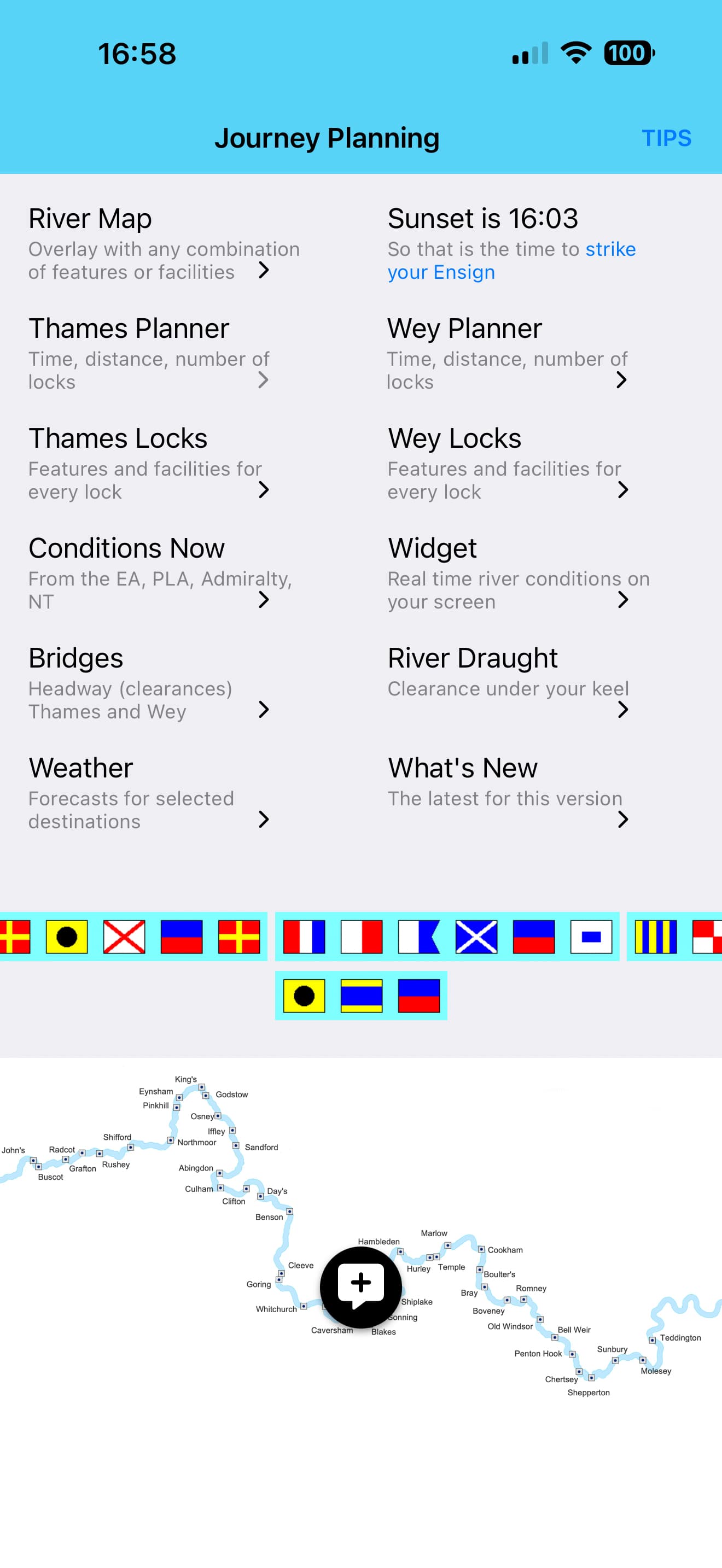
My preference is to keep the V8 look as I cannot see anything in the docs to address the iOS ‘changes’ in V9; clearly the V9 look cannot be released (new version of the app scheduled for early 2026).
Help to remove the iOS look or manage it to look good will be appreciated.
Thanks