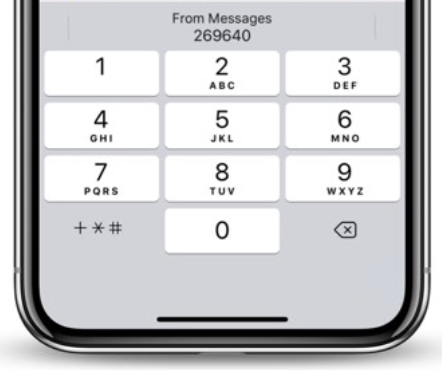
iOS will fill the form field with the numerical value of the OTP. It probably triggers the default ‘submit’ command of the form after that, knowing that there are probably only two form elements within that view: A numerical input for the number, and a submit button (‘Confirm’ or ‘Next’ or similar).
So I’d say you should focus your attention on the submit button of the form (check if you even have a button with a Submit command) and see what the target destination is.
I see it’s been a while since you’ve posted, but I just wanted to ask—has anyone found a workaround or update on this behavior in iOS 17? I’m running into the same SMS autofill challenge, and it seems like the issue is still affecting users using Safari or in-app browsers. Curious if using inputmode or autocomplete tweaks made any difference for anyone.
I had the same weird form behavior, and in my case, removing autocomplete from the input helped. Also, I noticed that if the input field had an old name like “otp” or “code”, iOS tried to auto-fill it based on previous text messaging patterns. Maybe try using a more generic name and turn off autocomplete—made the autofill issue disappear for me.